Get the thought out
Type a thought or record a voice brain dump of up to two minutes. You don't need a perfectly organized list before you start.
YOUR DAY. A LITTLE LIGHTER.
Groceries, work, next week: keep track of what needs doing. QuickDone reminds you when it matters and helps break bigger tasks into smaller steps. Free for Android, with no account signup to get started.
For Android · Everyday task management is free
Features
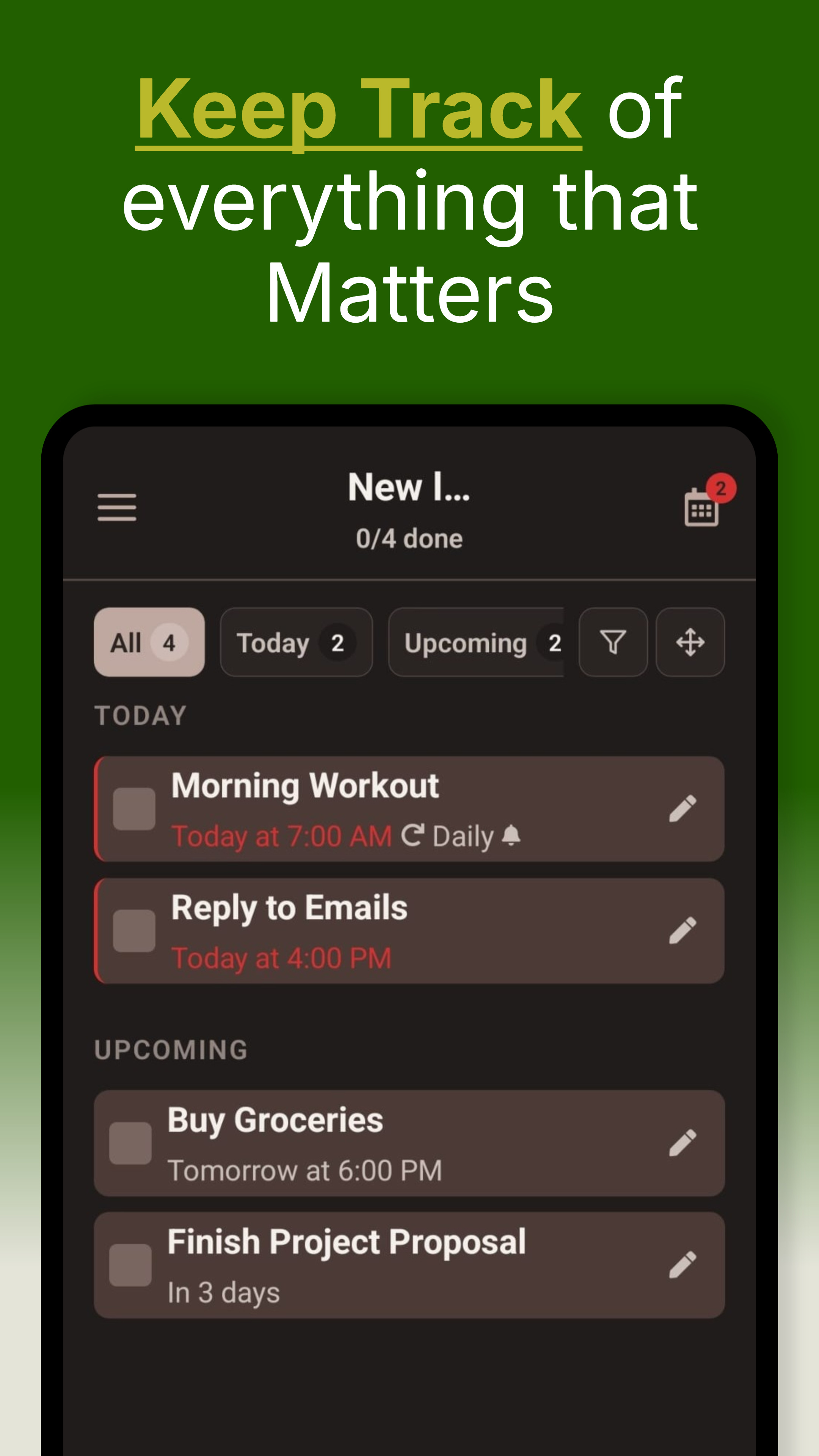
Groceries, work or personal goals: capture tasks, plan dates and turn big plans into manageable next steps.
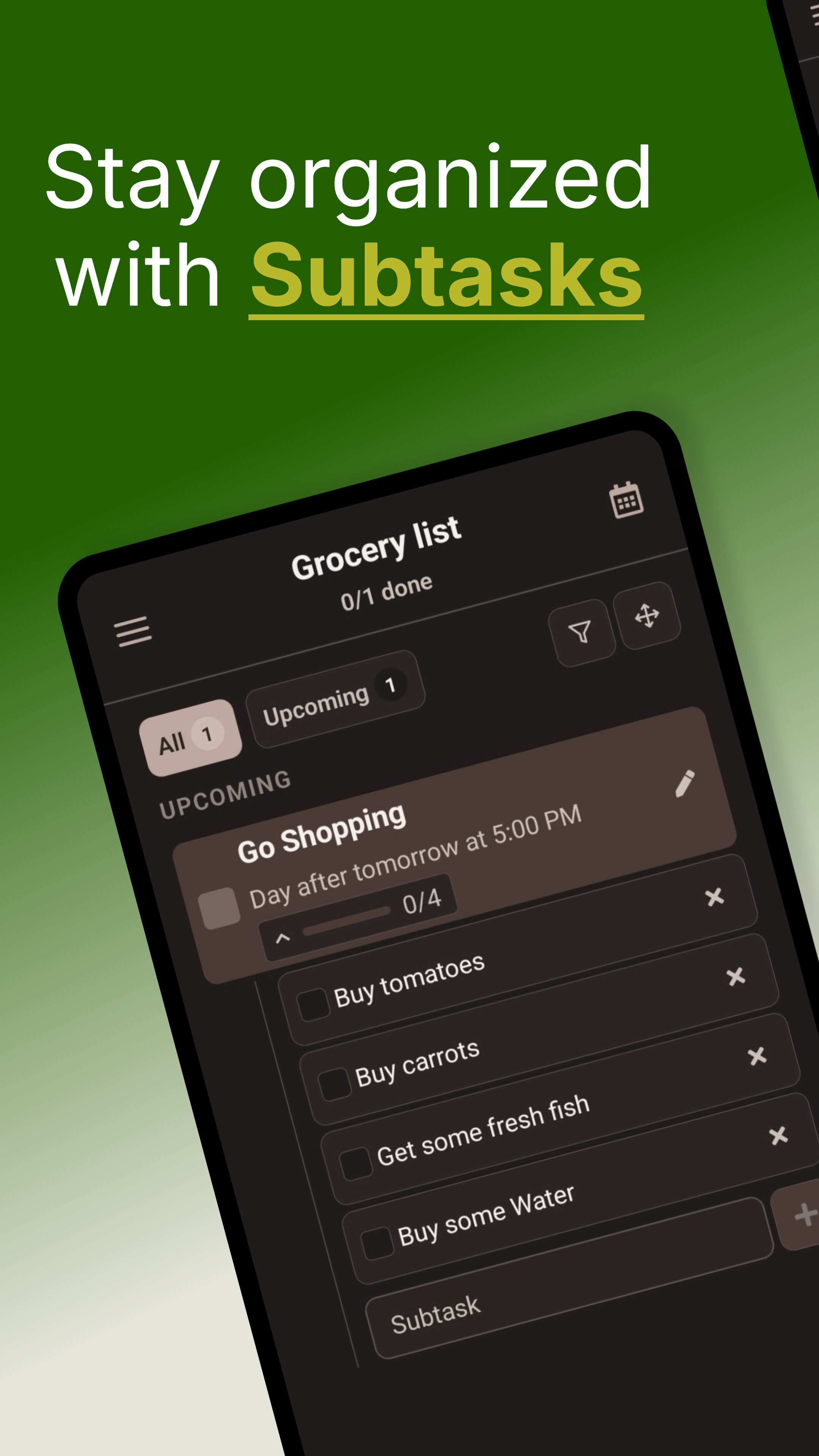
Turn a bigger task into manageable subtasks. Check off each step and see your progress as you go.
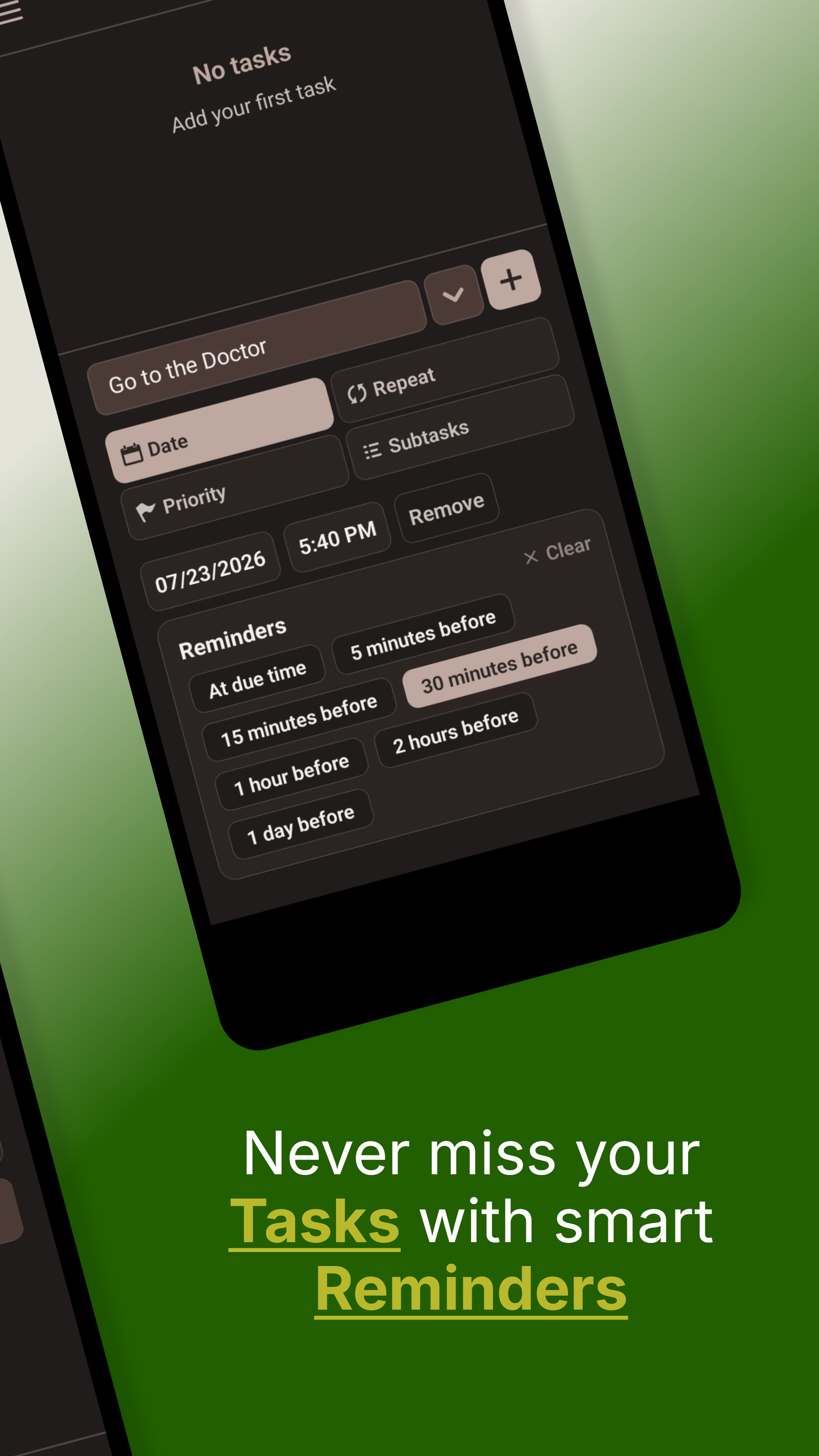
Set due dates and multiple reminders. Repeat daily, weekly, monthly or yearly routines without starting from scratch.
Keep today's and upcoming tasks in view. Priorities, filters and the calendar help you plan your day.
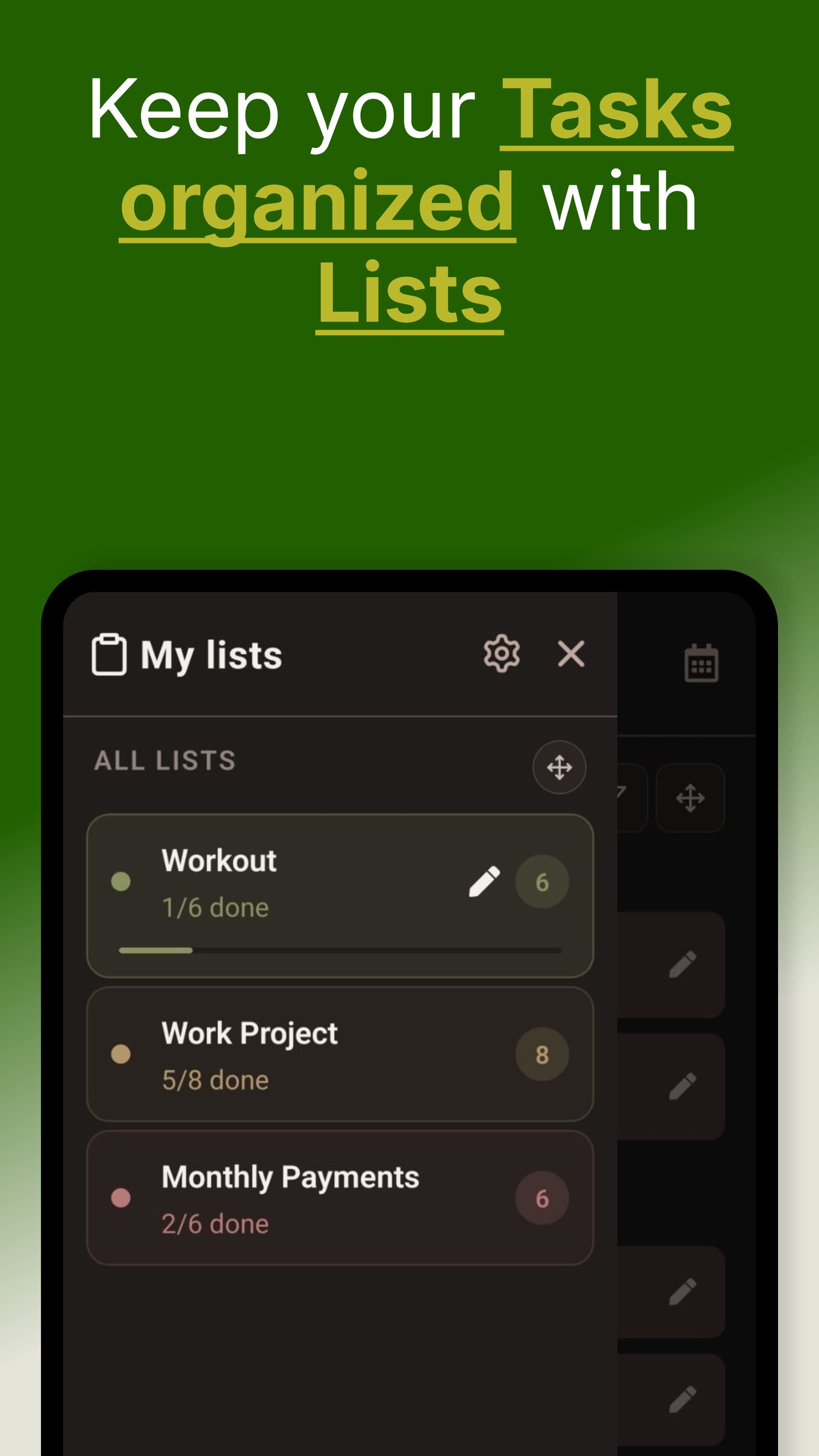
Separate groceries, work and personal projects with colored lists. Arrange lists and tasks in the order that makes sense to you.
Original screenshots from the English Google Play listing. Select an image to open the full-size original.
SAY IT. MAKE A PLAN.
Planning a move, a project or just next week? Say or type what is on your mind. QuickDone suggests tasks, dates and next steps. Review the proposal, then apply what works for you.
Type a thought or record a voice brain dump of up to two minutes. You don't need a perfectly organized list before you start.
Review proposed tasks, lists, dates, reminders and subtasks. Answer clarification questions when something needs more detail.
Apply the changes you want. Deletions need separate confirmation, and you can undo applied AI changes.
AI planning needs an internet connection. Your commands or audio and relevant task context are processed online. Basic task capture also works offline.
Included free
Check off groceries, remember deadlines and keep the household organized. That is what QuickDone Free is for. The features below are free to keep using.
Tasks, dates and routines – all included. Plus 10 lists for different parts of life and 5 AI planning sessions per month.
For more than 10 lists or frequent AI planning, Pro offers unlimited lists and 300 AI planning sessions per month. Reminders, the calendar and other everyday features are already in Free. See the app for prices.
Reminders, recurring tasks, priorities, subtasks and the calendar do not require Pro. Start free and keep using QuickDone Free for as long as you like.
A task should be quick to capture. A reminder should be easy to set the way you need it. Those are the details we work on, with testing and feedback from people who use QuickDone.
Automated tests, AI evaluations and manual checks help us review changes before release.
Missing something, or found a workflow that doesn't feel right? Write to us. Your feedback helps us decide what to improve next.
Send feedback ↗Tasks are stored on your device. AI and other online features process data. The privacy policy explains what is processed and why.
FAQ
Yes. QuickDone Free is free to keep using and includes tasks, reminders, recurrence, priorities, subtasks and the calendar, plus up to 10 lists and 5 AI planning sessions per month. These features do not need a subscription. Pro is optional for more lists or particularly frequent AI use.
You can start without manual account signup. Tasks are stored locally and basic task capture works offline. AI planning and other online features need an internet connection and may use technical, pseudonymous authentication.
Your commands or audio and relevant task context are processed online for AI features. You review proposed changes before applying them. See the linked privacy policy for details about processing, subscriptions and limited product analytics.
Plan due dates, multiple reminders and repeating tasks, break bigger tasks into steps and see your day with a calendar and filters. Optional AI helps turn spoken or typed thoughts into actionable tasks.
Yes. QuickDone combines free everyday features with multiple reminders per task, local task storage and voice or text AI with a preview. Start without manual account signup, capture tasks offline and turn thoughts into practical steps with AI. AI planning is already included in Free.
QuickDone supports English, German, Spanish, Hindi and Urdu. This product page is available in English and German.
Alternatives
See what changes when you plan your day with QuickDone.
Organize tasks on your Android phone without signing into Microsoft. See how to get started with QuickDone.
Compare QuickDone and Microsoft To DoMultiple reminders, three priority levels and voice or text AI inside your task app. Explore the differences.
Compare QuickDone and Google TasksDownload the app, create your first list and capture what you want to get done today.