One task. More than one reminder.
Some things need more than one nudge. For a deadline, set a reminder to prepare and another before it is due. Multiple reminders per task are included for free in QuickDone.
QUICKDONE FOR ANDROID
Want to capture a task, plan the next step and get a timely reminder? QuickDone combines lists, multiple reminders and voice or text AI in one Android app. Your everyday planning features are free.
By SkitPie, the team behind QuickDone · Updated September 5, 2026
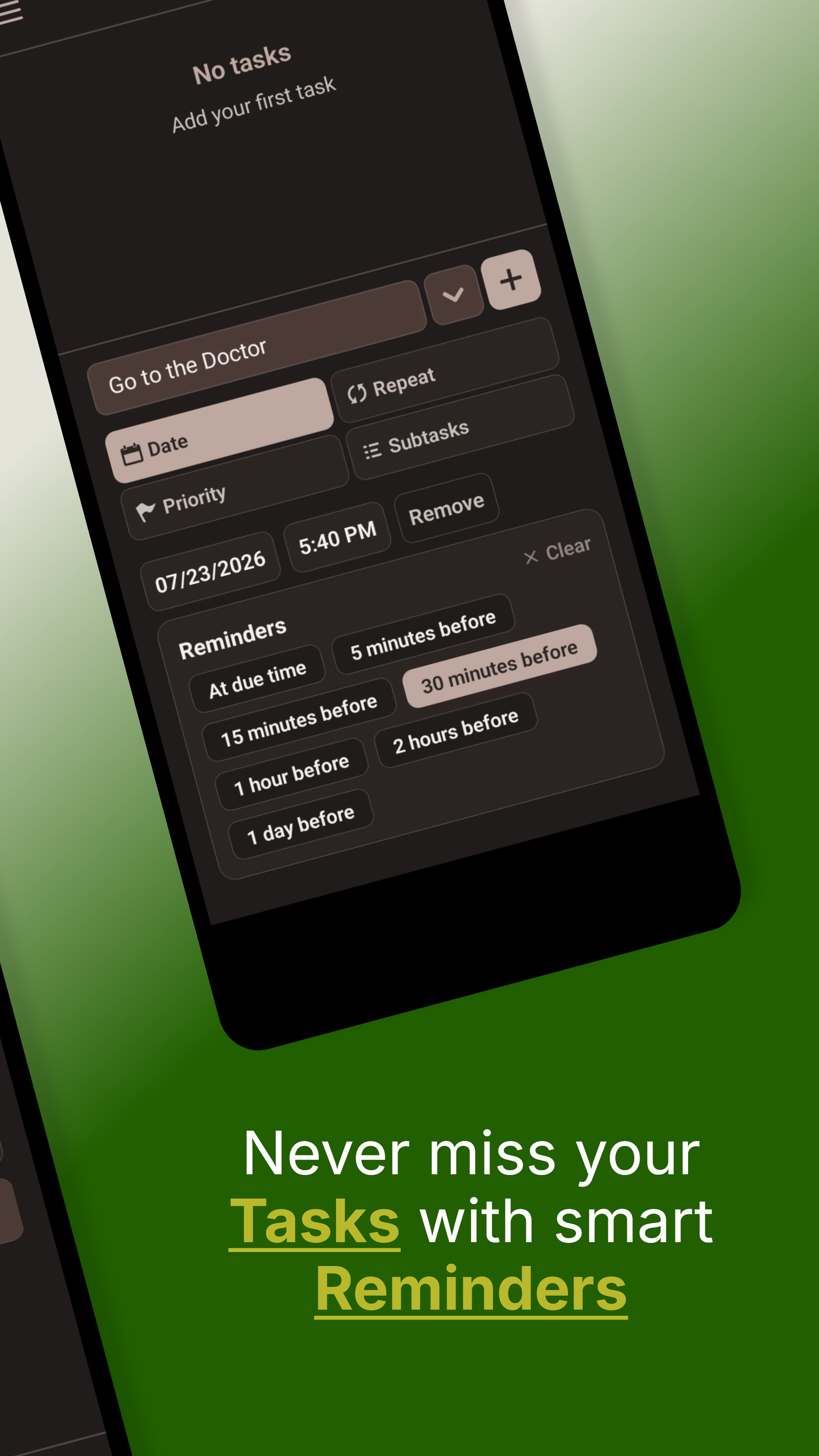
Some things need more than one nudge. For a deadline, set a reminder to prepare and another before it is due. Multiple reminders per task are included for free in QuickDone.
Choose high, normal or low priority and use the matching filters. Lists separate different parts of life, while the calendar helps you see tasks with due dates.
Say or type what you want to get done. QuickDone's AI proposes tasks, dates and steps. Review the changes in the app, then apply what works. Five monthly sessions are already included in Free.
Scroll sideways to see both apps →
| Your workflow | QuickDone | Google Tasks |
|---|---|---|
| Marking important tasks | Three priority levels with filtering | Star important tasks |
| Getting reminded | Set multiple reminders for each task | Notifications for tasks with a date and time |
| Seeing your day | Calendar and day view in QuickDone | Dated tasks in Google Calendar |
| AI assistance | Voice and text in the app; review proposed changes | Add, edit and view tasks through the Gemini app |
| Keeping your tasks | Locally on Android; start without manual signup | Synced across devices through your Google account |
QuickDone has its own calendar view. Google Tasks displays dated tasks directly in Google Calendar. When switching, consider where you want to see your tasks and dates each day.
TRY IT IN YOUR DAY
Create “submit the paperwork” with a due date. Add the steps “collect documents”, “fill in the form” and “check everything”. One reminder helps you prepare; another helps you submit on time. See the deadline in your calendar and your progress inside the task.
Included free
Check off groceries, remember deadlines and keep the household organized. That is what QuickDone Free is for. The features below are free to keep using.
Tasks, dates and routines – all included. Plus 10 lists for different parts of life and 5 AI planning sessions per month.
For more than 10 lists or frequent AI planning, Pro offers unlimited lists and 300 AI planning sessions per month. Reminders, the calendar and other everyday features are already in Free. See the app for prices.
Reminders, recurring tasks, priorities, subtasks and the calendar do not require Pro. Start free and keep using QuickDone Free for as long as you like.
QuickDone offers three priority levels, multiple reminders per task and AI proposals to review inside the app. Tasks are stored locally on Android. Google Tasks works with your Google account and Google Calendar. The table compares the workflows so you can decide how to organize your personal tasks.
Yes. Google describes adding, editing and viewing Tasks through the Gemini app. QuickDone lets you use voice or text inside the task app and review changes before applying them. The difference is in the workflow, not simply whether AI is available.
Yes. The calendar, multiple reminders, recurrence, priorities and subtasks are in Free. You also get up to 10 lists and 5 monthly AI planning sessions. Free is yours to keep using.
Create a QuickDone list for one part of your day. Manually add a few open tasks and their dates. Try reminders and subtasks with those tasks before bringing over more lists.
Written by SkitPie, the maker of QuickDone. Competitor information comes from the official documentation linked below; QuickDone features and Free/Pro limits were checked against the app configuration. This is a product comparison, not an independent performance test.
Reviewed September 5, 2026. Features may change.
Alternatives
See what changes when you plan your day with QuickDone.
Create your first list in QuickDone. Everyday task planning is free.