Open the app. Capture your first task.
You don't need to create a user account to get started with QuickDone. Tasks are stored on your device, so you can capture something on the go even without an internet connection.
QUICKDONE FOR ANDROID
Want to organize your personal tasks without signing into Microsoft? Start directly on your Android phone with QuickDone. Lists, reminders, recurring tasks and the calendar are included for free.
By SkitPie, the team behind QuickDone · Updated September 5, 2026
You don't need to create a user account to get started with QuickDone. Tasks are stored on your device, so you can capture something on the go even without an internet connection.
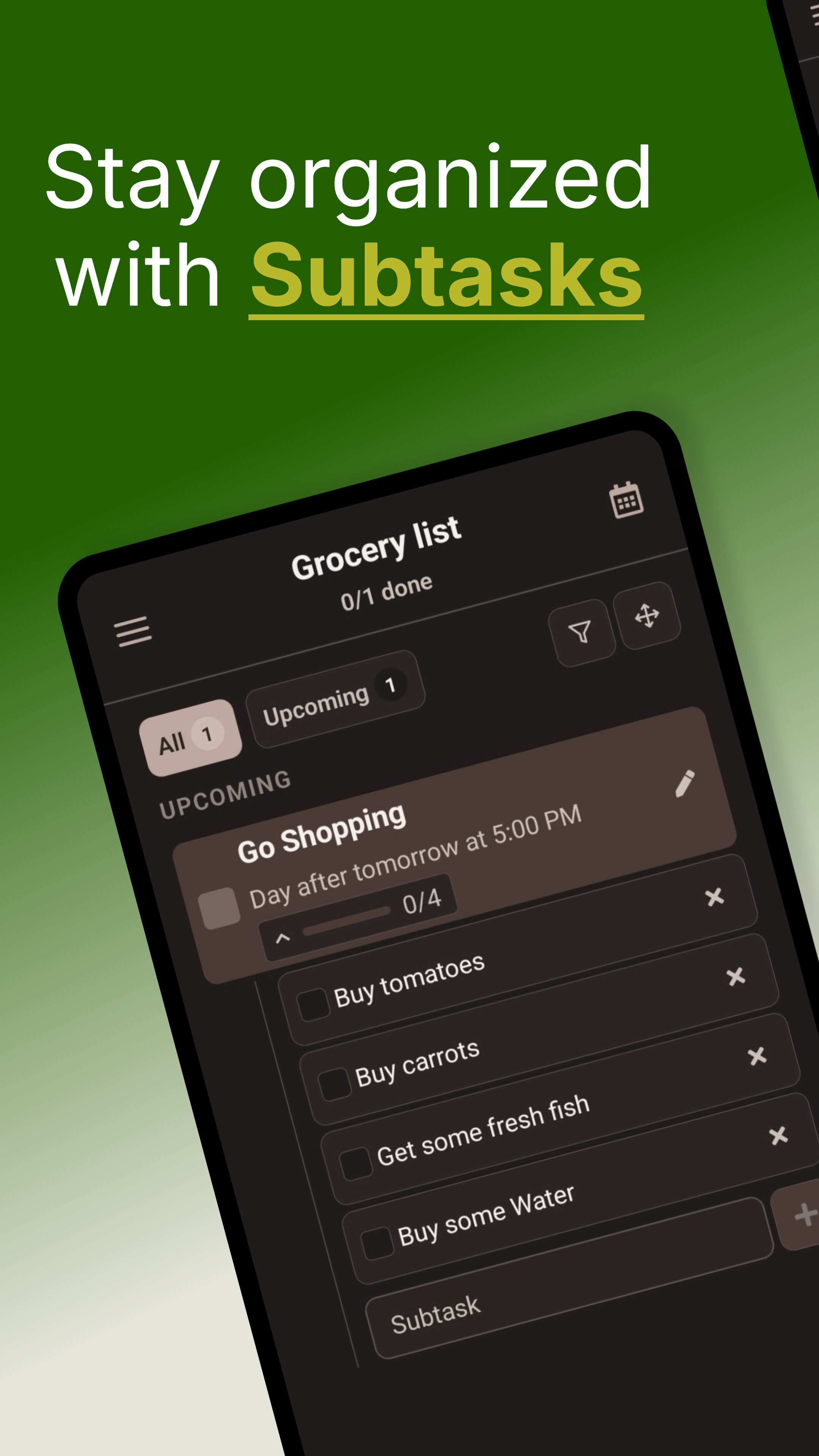
Break “prepare the apartment” into individual subtasks. Due dates, multiple reminders and recurrence help you keep the plan going. Those tools are part of the free version.
When several things need doing, use voice or text for AI planning. QuickDone proposes changes for you to review before applying. Five sessions are included in Free every month.
Scroll sideways to see both apps →
| Your workflow | QuickDone | Microsoft To Do |
|---|---|---|
| Getting started | No manual account signup | Personal Microsoft account or supported work/school account |
| Personal task planning | Free, including reminders, subtasks and the calendar | Free with a personal Microsoft account |
| Breaking down tasks | Subtasks with a progress indicator | Steps within a task |
| Dates and reminders | Due dates, multiple reminders and recurring tasks | Due dates, reminders and recurring tasks |
| How you organize | Personal lists and local tasks on Android | Tasks in Microsoft's ecosystem, including Outlook |
If your current workflow relies on Outlook tasks or shared work processes, check those requirements separately. This comparison focuses on personal task planning on Android.
TRY IT IN YOUR DAY
Start with one part of life, such as household tasks or a personal project. Create a list in QuickDone and manually add three open tasks. Give one a due date and break another into steps. You can see how the app feels before moving more lists over.
Included free
Check off groceries, remember deadlines and keep the household organized. That is what QuickDone Free is for. The features below are free to keep using.
Tasks, dates and routines – all included. Plus 10 lists for different parts of life and 5 AI planning sessions per month.
For more than 10 lists or frequent AI planning, Pro offers unlimited lists and 300 AI planning sessions per month. Reminders, the calendar and other everyday features are already in Free. See the app for prices.
Reminders, recurring tasks, priorities, subtasks and the calendar do not require Pro. Start free and keep using QuickDone Free for as long as you like.
Yes. You can organize personal tasks in QuickDone for free. Reminders, recurrence, subtasks, priorities and the calendar are included, along with up to 10 lists and 5 AI sessions per month. Microsoft To Do is also free with a personal Microsoft account. QuickDone combines a start without signup with local planning and integrated AI proposals you review.
No. Try QuickDone with one list and a few tasks first. The getting-started guide on this page uses manual transfer, so you can test the workflow before bringing over more lists.
No. Multiple reminders, recurring tasks, subtasks and the calendar are free. Pro increases only the list allowance and the number of monthly AI sessions.
Basic task capture works offline. AI planning processes commands or audio and relevant task context online. You review its proposed changes before applying them.
Written by SkitPie, the maker of QuickDone. Competitor information comes from the official documentation linked below; QuickDone features and Free/Pro limits were checked against the app configuration. This is a product comparison, not an independent performance test.
Reviewed September 5, 2026. Features may change.
Alternatives
See what changes when you plan your day with QuickDone.
Create your first list in QuickDone. Everyday task planning is free.